Bitport.io transforms torrent downloading with seamless cloud storage integration. Easily add torrent and magnet links, monitor transfers, manage cloud storage, and download files securely and efficiently.
Key Features of Bitport.io:
Effortless Cloud Integration
Bitport.io integrates smoothly with top cloud storage providers like Google Drive and Dropbox. This lets you effortlessly store and manage downloaded files directly in your favorite cloud platform. By syncing torrents to the cloud, Bitport.io ensures your files are accessible and backed up across all your devices, boosting both convenience and data security.
Automated Torrent Fetching
Say goodbye to download hassles with Bitport.io's automated fetching. Just enter a URL or magnet link, and Bitport.io takes care of the rest—no torrent client needed. This feature simplifies the process, saving time and eliminating complicated setups.
Remote Download Management
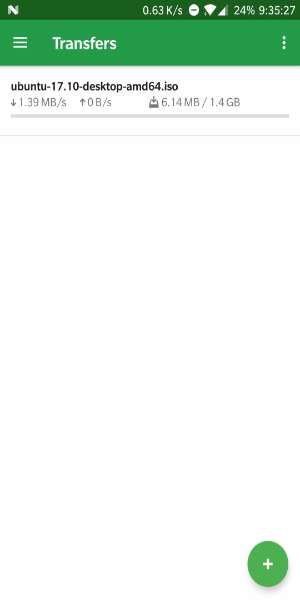
Stay in control from anywhere. Bitport.io's remote access feature allows you to monitor and manage your downloads using any smartphone, tablet, or computer with internet. Check transfer status, adjust settings, or start new downloads remotely for continuous convenience, even while you're on the move.
Enhanced Security and Privacy
Download with peace of mind. Bitport.io secures all transfers with SSL encryption, protecting your data during uploads and downloads. Strong privacy features also keep your activity and personal information confidential throughout the entire torrenting and storage process.
How to Get the Most Out of Bitport.io:
Save Time with Batch Downloads
Boost your efficiency by using batch download. Queue multiple torrents at once to save time and streamline your workflow. Whether you're grabbing a series of files or a large collection, batch downloading manages it all smoothly and efficiently.
Access Instantly with Cloud Sync
Effortlessly sync your downloaded files to cloud services like Google Drive or Dropbox through Bitport.io. This gives you instant access to your files across all devices, making sharing and collaboration easy while providing a reliable backup against data loss or device issues.
Customize Your Download Settings
Tailor your experience with Bitport.io's flexible settings. Adjust download location, bandwidth allocation, and scheduling to match your specific needs and internet connection. Fine-tuning these options helps optimize speed, manage storage better, and schedule downloads during off-peak hours for added convenience.
Discover More Features and Add-ons
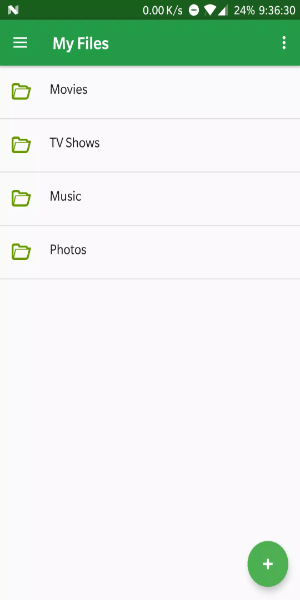
Explore additional tools and add-ons within Bitport.io to expand its capabilities. Check out advanced file management options to better organize, categorize, and access your content. You can also connect Bitport.io with other cloud services or apps to broaden its functionality and fit seamlessly into your digital routine.
Get Bitport.io for Android Today:
Discover the power and convenience of Bitport.io for smooth torrent downloading and cloud integration. With features like automatic downloads, remote access, and secure storage, Bitport.io provides a streamlined way to manage torrents and access your files anywhere. Start using Bitport.io now to simplify your downloads and enjoy secure, efficient cloud-based file management.
v2.4.0
26.47M
Android 5.1 or later
io.bitport.bitportflutterapp