

Kiddle App is a visual search engine crafted for children, providing a secure environment for web, image, and video searches. It allows young users to discover editor-approved, age-appropriate content. Featuring a kid-friendly interface and educational emphasis, Kiddle makes online exploration safe and captivating for young learners.
Explore Kiddle App:The Ultimate Safe Search Engine for Kids
In today's digital world, giving children safe and suitable internet access is a primary concern for parents and educators. Kiddle, a visual search engine built specifically for kids, addresses this need by blending safety with learning. Backed by Google and carefully curated by editors, Kiddle offers a trusted platform where children can confidently search the web, images, and videos. This detailed guide explores the features and advantages of the Kiddle app, showing how it enriches a child's online experience while prioritizing their safety.
What is Kiddle?
Kiddle App is an innovative search engine customized for young users, offering a child-safe alternative to standard search engines. It utilizes Google's search technology to deliver relevant and secure results for kids. Unlike general search engines, Kiddle focuses on visual appeal and simplicity, making it effortless for children to navigate and find information.
Key Features of the Kiddle App
Visual Search Engine
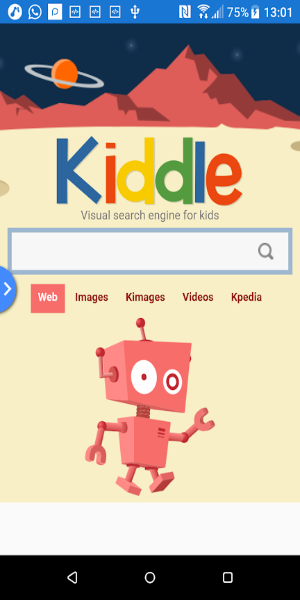
Kiddle's interface is visually engaging, featuring colorful, intuitive graphics that attract children. The visual search engine presents results in a kid-friendly format, ideal for young learners who may find text-heavy results challenging. This visual method helps children quickly spot relevant information and improves their overall search experience.
Safe Search Results
A key feature of Kiddle is its dedication to safety. All search results are reviewed by editors to ensure content is suitable for children. This strict process means parents can trust the information their kids access is safe and educational. The app filters out inappropriate material, offering a worry-free browsing experience for families.
Child-Friendly Interface
Kiddle's interface is designed with children in focus. The layout is simple and clear, with large icons and easy-to-read text. This child-centered design lets kids navigate the search engine effortlessly, helping them build research skills while staying on age-appropriate content.
Web, Image, and Video Search
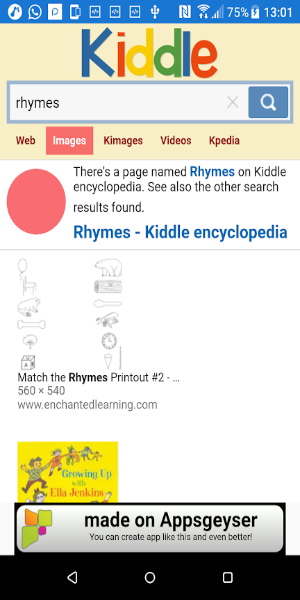
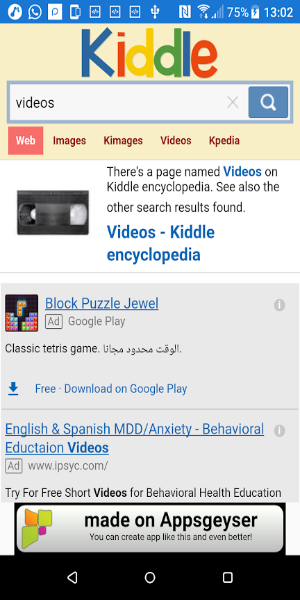
Kiddle provides a complete search experience covering web pages, images, and videos. Kids can use the app to find relevant information, view educational images, and watch child-friendly videos. All results are tailored for young audiences, ensuring content is both secure and interesting.
Educational Content
The app emphasizes educational content, giving children access to resources that support their learning. From informative articles to educational videos, Kiddle helps kids explore new topics and grow their knowledge in a fun, interactive way. This focus aligns with the app's mission to foster development through positive online experiences.
Benefits of Using Kiddle
Enhanced Online Safety
Kiddle provides a major benefit by creating a safer online space for children. Its content filtering and editor-reviewed results greatly reduce the risk of exposure to unsuitable material. Parents can be confident their children are accessing information that is safe and age-appropriate.
User-Friendly Experience
The app's design ensures even young kids can easily use the search engine. The visual interface, large icons, and simple search options make it accessible for varying digital skill levels. This ease of use encourages independent exploration while keeping the focus on safe content.
Support for Learning and Exploration
Kiddle aids children's educational growth by providing a wealth of engaging, informative content. The app sparks curiosity and exploration, helping kids learn about diverse topics in an enjoyable, educational manner. By blending visual elements with learning resources, Kiddle nurtures a love for discovery in a child-safe environment.
Peace of Mind for Parents
For parents, Kiddle offers reassurance by monitoring and controlling children's online activities. The app's focus on safety and appropriate content means parents can trust the search results. This peace of mind allows parents to encourage their child's online exploration without constant worry about risks.
How to Get Started with Kiddle
Getting started with Kiddle is simple. Follow these steps to help your child begin using the app and its features:
Download and Install
Kiddle is available for download on various devices. However, 40407.com is a reliable website where you can search for "Kiddle" and download the app. The installation is quick and easy, letting your child start using the search engine promptly.
Set Up User Preferences
After installing the app, customize user preferences to match your child's needs. Adjust settings to ensure content is age-appropriate and fits your family's online safety guidelines.
Introduce the App to Your Child
Show your child how to use Kiddle, highlighting its features and search function. Encourage them to explore the app as a tool for learning and discovery. Offer guidance on performing searches and navigating different sections.
Monitor Usage
While Kiddle provides a safe browsing environment, it's wise to monitor your child's online activity. Periodically review their searches and explore educational content together. This reinforces safe online habits and supports their learning journey.
Free Download Kiddle App APK
Kiddle App excels as a tool for children's online exploration, merging Google's search power with a firm commitment to safety and education. With its visual search engine, editor-vetted results, and kid-friendly interface, Kiddle App delivers a secure platform for young users to explore the web, images, and videos. By prioritizing safety and learning, the app is a valuable resource for parents looking to enhance their children's education while ensuring online security. Download Kiddle App today and empower your child to discover, learn, and grow in a safe, engaging digital world.
v1.2
6.64M
Android 5.1 or later
com.KiddleApp_johnsapp