

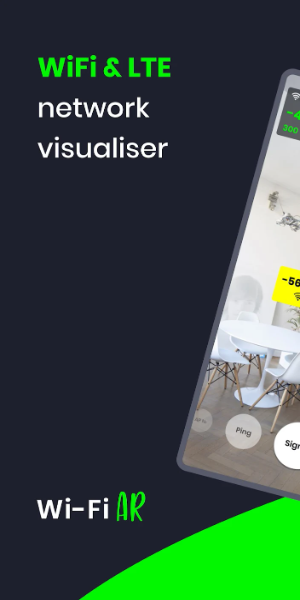
WiFi AR revolutionizes network visualization by overlaying your live WiFi and cellular data onto augmented reality. This powerful tool pinpoints optimal access locations by showcasing real-time signal strength, connection speeds, and latency metrics while detecting competing networks that could disrupt your connectivity.
Key Features of WiFi AR:
- Speed Metrics: Instantly monitor your active connection speeds with precision.
- Latency Optimization: Locate areas with minimal delay for seamless gaming experiences across both WiFi and mobile networks.
- Network Interference Detection: Spot congested channels and shift to clearer frequencies through your router configuration.
- Smart Router Switching: Automatically optimize connections when moving between multiple routers in your space.
WiFi AR Interface Elements
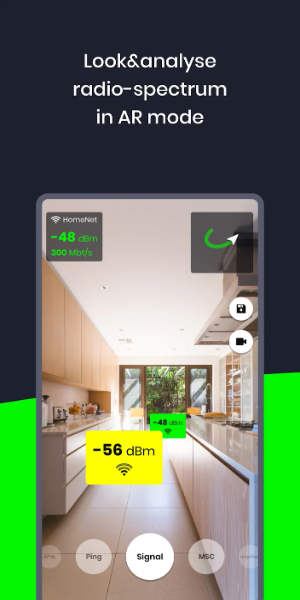
- Live Camera Display: The primary interface streams real-time footage from your rear camera, blending digital and physical environments.
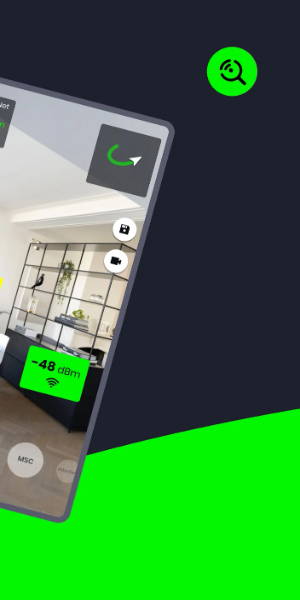
- AR Data Layer: Digital overlays present critical network details like signal indicators, SSIDs, security statuses, and access point directions.
- Network Overview Panel: Browse available networks in list or grid format with essential connection details at a glance.
- Interactive Controls: Intuitive gestures and buttons let users manipulate AR displays, adjust views, and access advanced functions.
- Customization Settings: Personalize your experience with adjustable AR visuals and specialized networking tools.
- User Guidance System: Contextual help features and tutorial resources ensure effortless app navigation.
- Visual Signal Mapping: Color-coded graphics and intuitive representations illustrate network quality throughout your space.
- Performance Alerts: Receive immediate notifications about network disturbances or suboptimal conditions.
- Hardware Visualization: Some versions feature 3D renderings of networking equipment within your AR environment.
- Connection Status Indicator: Clear visual feedback shows your device's current network attachment state.
Latest Updates
Enhanced WiFi mode functionality with Band/IEEE specifications and maximum transmission/reception rates
Resolved video capture issues affecting select device models
5.9.3
9.80M
Android 5.1 or later
ua.com.wifisolutions.wifivr